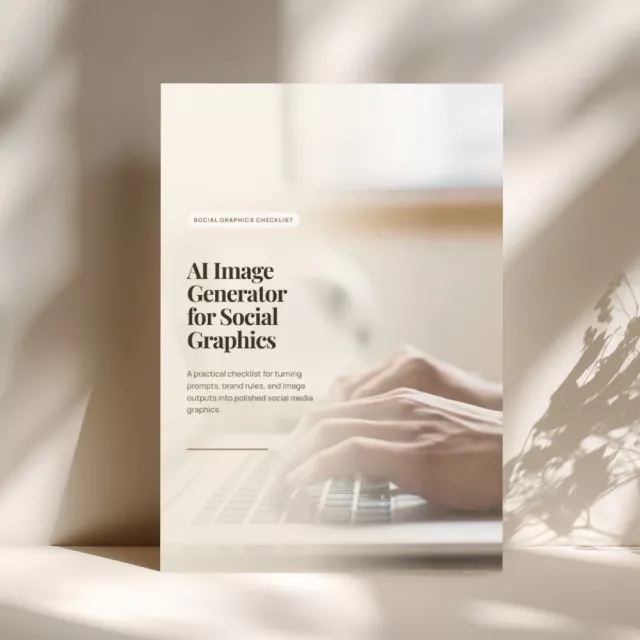
Use AI image generators with clearer post goals, brand style translation, safe design space, visual accuracy checks, editable design files, and graphic QA prompts.
6checks
2sections
instantaccess
🖼️ AI image workflow · Social graphics checklist
This instant PDF checklist helps social content teams use AI image generators with stronger creative direction, cleaner layouts, and safer review habits. It focuses on starting with the post goal, translating brand style into usable prompt language, prompting for clean design space, reviewing visual accuracy, preparing editable design files, and using AI tools for graphic QA.
Built for social media managers, designers, content teams, marketers, creators, brand teams, and small business owners who need scroll-stopping graphics, carousel visuals, launch assets, quote posts, tip graphics, recurring series, and campaign images that stay on-brand and easy to finish inside a design file.
✓ Practical image-generation and design QA checklist
✓ Built for branded social graphics and team workflows
SOUND FAMILIAR?
AI social graphics work better when teams connect post purpose, brand language, usable space, and visual QA
The post goal should lead the visual
Scroll-stopping graphics, tips, quotes, launches, recurring series, caption angles, and one visual promise help images support the message instead of becoming decoration.
Brand style needs prompt-ready language
Palette, lighting, texture, crop, mood, negative space, approved prompts, rejected looks, and brand notes help both designers and AI tools understand the visual system.
Usable space prevents design rework
Clean headline areas, safe callout zones, correct social formats, crop planning, negative prompts, and clutter removal make generated images easier to turn into posts.
Graphic QA protects the feed and message
Hands, screens, shadows, reflections, product edges, false claims, feed rhythm, hierarchy, crop safety, contrast, and accessibility notes all need review before publishing.
WHAT’S INSIDE
Inside the checklist, 6 checks for social image generation and polish
01: Start with the Post Goal
Identify whether the graphic needs to stop the scroll, explain a tip, support a quote, promote a launch, or refresh a recurring series.
02: Translate Brand Style
Describe palette, lighting, texture, crop, mood, and negative space, then keep typography, logos, and exact UI elements for the design file.
03: Prompt for Usable Space
Ask for clean areas for headlines, stickers, or callouts, specify the social format, and remove clutter, fake text, warped devices, repeated objects, and AI artifacts.
04: Review Visual Accuracy
Zoom into hands, screens, shadows, reflections, product edges, and background objects, then check for false features, unsafe use, unrealistic results, or unsupported promises.
05: Prepare the Design File
Place the image as a background or hero layer, add brand type and overlays manually, export clean and text-heavy versions, and archive the prompt with the editable design link.
06: AI Tools for Graphic QA
Ask AI to critique visual hierarchy, audience fit, crop safety, possible misinterpretation, prompt refinements, contrast, text placement, and visual clarity.
✨
Create social graphics with clear purpose, safe layout space, and stronger visual QA
Get instant access to the PDF and use the checklist for post goals, caption angles, brand style prompts, negative space, social formats, negative prompts, visual accuracy checks, design file prep, prompt archives, accessibility notes, and publishing-ready graphic review.
All orders can be cancelled until they are shipped. If your order has been paid and you need to make a change or cancel an order, you must contact us within 12 hours. Once the packaging and shipping process has started, it can no longer be cancelled.
Refunds
Your satisfaction is our #1 priority. Therefore, you can request a refund or reshipment for ordered products if:
If you did not receive the product within the guaranteed time( 45 days not including 2-5 day processing) you can request a refund or a reshipment.
If you received the wrong item you can request a refund or a reshipment.
If you do not want the product you’ve received you may request a refund but you must return the item at your expense and the item must be unused.
We do not issue the refund if:
Your order did not arrive due to factors within your control (i.e. providing the wrong shipping address)
Your order did not arrive due to exceptional circumstances outside the control of Timeless Tech (i.e. not cleared by customs, delayed by a natural disaster).
Other exceptional circumstances outside the control of https://timelesstech.shop
*You can submit refund requests within 15 days after the guaranteed period for delivery (45 days) has expired. You can do it by sending a message on Contact Us page
If you are approved for a refund, then your refund will be processed, and a credit will automatically be applied to your credit card or original method of payment, within 14 days.
Exchanges
If for any reason you would like to exchange your product, perhaps for a different size in clothing. You must contact us first and we will guide you through the steps.
Please do not send your purchase back to us unless we authorise you to do so.
Instant download
Your files will be available to download once payment is confirmed.